
How To Set Up Your Signal Long Range Device Connector Edition
Before you start:
- Ensure the hub is online before installing the sensor.
- Hub status can be checked in Site Inventory within the ConcreteDNA App.
- If the hub is offline or showing issues, refer to the Hub Troubleshooting Article before proceeding.
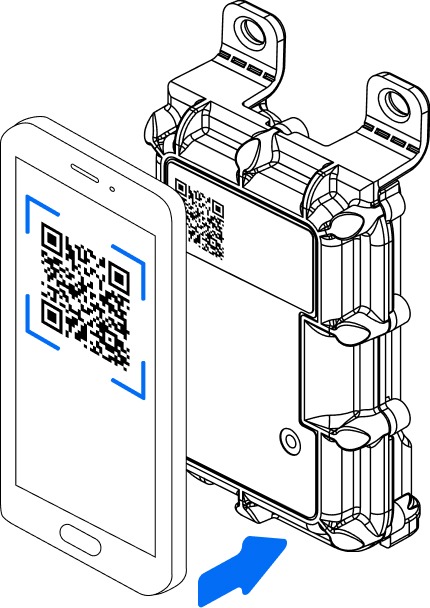
Register Your Device
- Create a pour in the ConcreteDNA App.
- Select the sensor type Signal Long Range in the app.
- Connect the Thermal Tail
- Scan the sensor to register
Connecting the Thermal Tail to Your Device
How to connect
- 1. Align the red dots on the tail and the device connector.
- 2. Push the connector firmly into place.
- 3. You will hear an audible click when the sensor is fully connected.
Install your device
Install the sensor at a maximum depth of 100mm, any deeper measurement points can be measured with the addition of a tail on the Signal sensor.
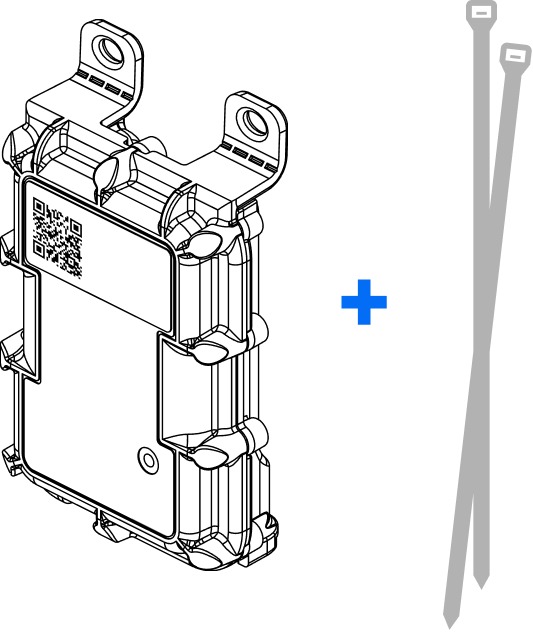
- 1. Attach the device to the rebar with the QR code facing upward
- 2. Secure the device with cable or wire ties to avoid it rotating during the pour
- 3. Secure the tail to the rebar- avoid the probe and rebar touching
- 4. The device can now be covered in concrete
How To Register Your Signal Long Range Device Fixed Edition
Step 1: Register Your Device
- 1. Create a pour in the ConcreteDNA App.
- 2. Select the sensor type (Signal Long Range) in the App.
- 3. Scan the sensor via the QR code when prompted by the app.
- 4. Registration is complete
Install your device
Install the sensor at a maximum depth of 100mm.
- 1. Attach the device to the rebar with the QR code facing upward
- 2. Secure the device with cable or wire ties to avoid it rotating during the pour
- 3. The device can now be covered in concrete